Best CRM Software: 5 Essential Factors to Consider Before Choosing
Learn how to choose the best CRM software by comparing five essential factors: features, pricing, ease of use, integrations, and scalability.
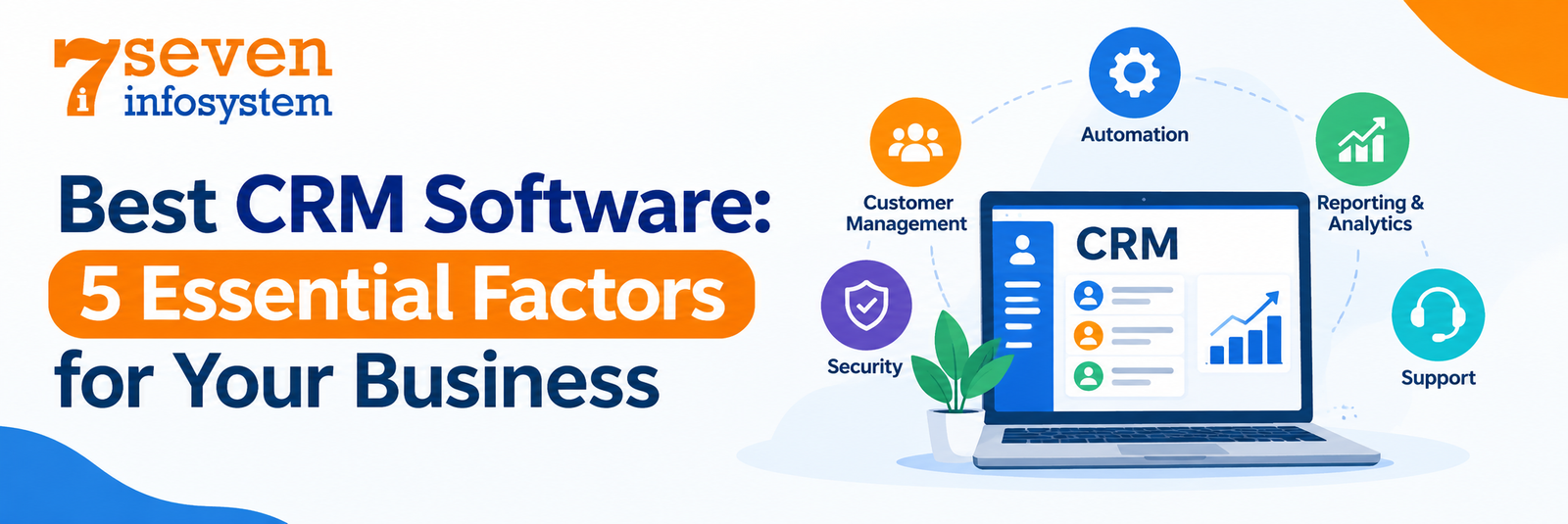
Introduction
Customer relationship management is one of the most significant aspects of successfully operating a business. However, whether you have just started your business or have been operating for years, it can become difficult to keep track of leads, customer communication, sales processes, and follow-ups. As a result, managing information across disconnected tools can negatively affect your company's productivity.
This is where CRM software becomes helpful. It allows companies to organize customer information, manage sales pipelines, automate routine processes, and build stronger relationships with clients. Moreover, all the necessary information can be accessed through a single platform instead of switching between multiple applications. As a result, teams can work more efficiently and keep customer data organized.
However, choosing the right CRM software is not always easy. With so many solutions available, businesses must consider several factors, including their specific requirements, budget, team size, and future goals. Therefore, understanding these factors beforehand can help you choose the best CRM software for your business.
Here are the best CRM software options, for your business the features that deserve attention and how to compare solutions. Whether you need a ready‑made platform or a system that fits your operations knowing these details will help you make a choice.
What Makes the Best CRM Software for Your Business?
The ideal CRM system is neither the one with too many features nor the one that costs the most. It is the CRM system that meets the problems facing your business, aligns well with your teams' workflows, and is worth your money as your business evolves.
Before comparing CRM software systems, figure out what you will expect from the CRM system.
1. Understand Your Business Requirements
Firstly, you have to identify the problems that you face as a company. Is there an issue of sales reps forgetting about follow-ups? Are you having problems tracking your leads? Can your customer service representatives easily find old conversations?
Write down your most important requirements and separate them into essential features and optional improvements.
For example, a service-based business might prioritize lead management, appointment scheduling, and follow-up reminders. An e-commerce company may need customer segmentation, purchase history, and marketing integrations.
The list of requirements will make it easier for you to reject the solutions which do not satisfy your needs.
2. Consider Your Team Size and Workflow
Your CRM has to accommodate your team members' workstyle. If your team consists of several employees, you may choose a solution which is easy to use and has such features as contact management, task reminder and sales pipeline.
If you have a big team, you may need role-based permissions, advanced reporting, several sales pipelines and different workflows for each department.
3. Set a Realistic Budget
CRM pricing varies depending on the number of users, available features, storage capacity, integrations, and support services. Some providers offer free plans; however, advanced CRM solutions usually require monthly or annual subscriptions.
When comparing costs, look beyond the advertised price. For example, consider setup fees, employee training, data migration, customization, ongoing maintenance, and additional tools. These expenses can increase your total investment over time.
Additionally, an inexpensive CRM may become more costly when you need to pay extra for essential features. Therefore, compare the total cost of ownership with the expected return on investment (ROI) to ensure the software delivers real value to your business.
Essential CRM Software Features to Look For
The knowledge of CRM Software Features is crucial before selecting a platform. While there can be different needs based on individual businesses, some features may benefit every organization.
1. Contact and Lead Management
Your CRM tool should have an option for keeping the names, contacts, interactions, sources of leads and other information about your clients in one place. Thus, you won't have to look for information about every client across various systems.
There are some features in CRMs that help salespeople to keep track of leads from their initial contacts until their qualification and successful negotiation. Different lead statuses will help you spot the areas for improvement.
2. Sales Pipeline Management
A visual sales pipeline shows where each opportunity stands in the sales process. Businesses can define stages such as new lead, contacted, qualified, proposal sent, negotiation, and closed.
This visibility helps managers understand how deals progress, identify bottlenecks, and estimate potential revenue. Sales representatives can also prioritize opportunities based on their current stage and likelihood of conversion.
3. Workflow Automation
Through automation, companies reduce routine activities. According to the platform, firms may automate follow-ups, task creation, lead notification, email marketing, and the change of deal status.
For instance, upon submission of the inquiry by a new lead on the website, the CRM can assign that lead to a sales representative.
4. Reporting and Analytics
Good reporting helps companies make choices based on results instead of guesses. Find dashboards that show lead conversion rates, sales activity, money predictions, customer loyalty and how the team is doing.
The reports need to be simple to read and connected to what the company wants to achieve. A helpful CRM lets managers spot patterns, compare numbers over time and see what parts of the work need to get better.
5. Integration Capabilities
The CRM might have to work with email services, money management programs, marketing apps, communication tools, website forms or customer service systems.
Check if the CRM can connect with the tools you already use through built-in options, special connections or tools that fit together. Strong integration means repeating of data and better sharing of important details between different parts of the company.
6. Mobile Access and Data Security
Mobile app development allows employees to access customer details, update sales opportunities, and record meeting notes anytime, anywhere. With a well-designed mobile app, businesses can manage customer relationships, track sales activities, and stay connected with clients even when working remotely or visiting customers.
Keeping information safe is just as important. Look for user roles, strong login methods, data encryption, records of who accessed what ways to save data and the right safety steps. The exact needs depend on how important the customer data's rules that apply to the business.
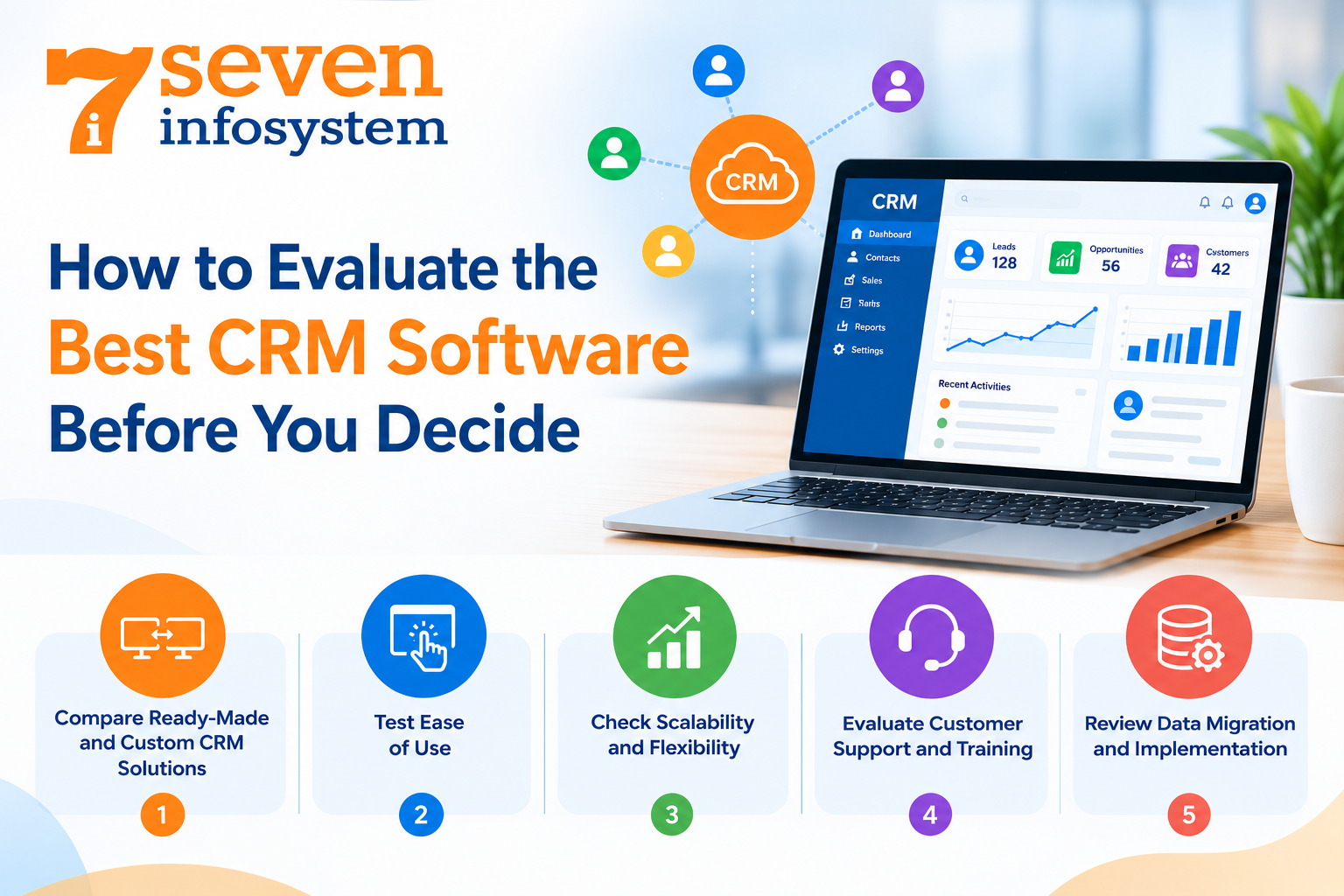
How to Evaluate the Best CRM Software Before You Decide
When you know your requirements and what key features the CRM system has to have, it is time to evaluate potential candidates properly. The evaluation will help you not to buy the solution because it is very famous and promoted.
1. Compare Ready-Made and Custom CRM Solutions
The ready-made CRM software is a pre-developed solution that is meant to facilitate your business processes. The software will be a good choice for you when your requirements coincide with the existing features and you just need to start.
Custom CRM Software is developed and customized for your workflows. It will be a right choice for you when you need a special approach in selling and you have your own approval processes and unique integrations.
Both of these options are equally good depending on your conditions and needs.
2. Test Ease of Use
A CRM system only delivers value when employees use it consistently. An overly complicated interface can discourage adoption, even when the software offers powerful capabilities.
Request a demonstration or use a free trial whenever possible. Test common activities such as creating a contact, assigning a lead, updating a deal, scheduling a task, and generating a report.
Get the people who will use the system every day to help check it out. Their opinions can show problems that are not clear, during a sales show.
3. Check Scalability and Flexibility
Your needs might change as your company gets bigger. You might hire people, start new services, go into new places or create more sales groups.
Choose a CRM that can accommodate growth without requiring a complete replacement. Review user limits, data capacity, reporting options, automation rules, customization capabilities, and upgrade costs.
Scalability also includes the ability to adjust workflows as your processes evolve. A flexible system can help you maintain operational consistency while adapting to new business needs.
4. Evaluate Customer Support and Training
Good customer support can make using the system and fixing problems much easier. Before you buy anything look into the support options that're available how fast they respond to the guides they provide help with getting started and learning materials.
If you are working with a company that develops software make sure you understand who will take care of keeping the system running, updating the software, fixing problems and adding features in the future.
Good support is particularly important when your CRM becomes part of your daily sales and customer service operations. Delays in resolving technical problems can affect productivity and customer experience.
5. Review Data Migration and Implementation
Moving customer information from spreadsheets or an old CRM system needs thinking. Before you start, decide which information needs to be moved, delete copies and check how good the data is.
Ask how the new system deals with bringing in data, matching fields, keeping messages and making sure everything is correct. Plan the move so that everyone knows when to start using the system and where to get help.
A step-by-step plan might be an idea, for bigger groups. Start with one team or a small group first. This can help find problems before everyone uses the system.
Why CRM Software for Small Businesses Matters
Small businesses often operate with limited time, staff, and resources. Employees may handle sales, customer support, marketing, and administration simultaneously. Without an organized system, important details can be overlooked.
CRM Software for Small Business makes it possible to integrate all customer information and processes into one place. Even the simplest software will do a world of good to improve the coordination efforts and sales process.
For example a small consulting company can use CRM software to track questions, set up follow-ups, write down conversations with clients and check on proposals. A service provider can manage customer requests, give tasks to people and look at the status of projects that are still going on.
It is important not to spend money on what is unnecessary. Use the capabilities that will solve your current problems first and increase your utilization of the platform when it comes to the point that your company needs more capabilities.
When comparing options, consider the following factors:
Affordability: Choose pricing that fits your current budget and anticipated growth.
Ease of adoption: Make sure employees can learn the system without extensive training.
Automation: Prioritize repetitive tasks that consume valuable working hours.
Integration: Check compatibility with the tools you already use.
Scalability: Ensure the platform can support additional users and workflows.
A well-chosen CRM can help a small business establish more organized processes before its customer base becomes difficult to manage manually.
When Should You Consider a CRM Software Development Company?
Software solutions can cover all the needs for many companies. But some companies require special conditions which cannot be achieved through ready-made solutions using any workarounds.
In such cases, the cooperation with a CRM Software Development Company may be of help. The developers will analyze your processes and develop a solution based on your company’s goals.
The custom development is required when you need special workflows, industry-specific data fields, integration with the internal application or even customer portal integrated with the CRM.
Benefits of Working With a CRM Software Company
An experienced CRM Software Company can help you evaluate requirements, plan the system architecture, develop functionality, integrate existing tools, and provide ongoing technical assistance.
Depending on the provider, services may include business analysis, user interface design, development, testing, deployment, training, and maintenance.
Before selecting a partner, review its relevant experience, development process, communication practices, security approach, and post-launch support. Ask for examples of comparable projects and clarify which deliverables are included in the agreement.
What to Expect From Custom CRM Software Development Services
Custom CRM Software Development Services usually start with requirement analysis and workflow design. Specialists involved in software development work together with stakeholders in order to get acquainted with the process flow and determine user roles and necessary features for MVP release.
Then there might be stages of interface development, creation of the application itself, integration, testing, and deployment. After launching the system, there might be needs for training employees, monitoring of its performance and improving the system security.
The best strategy will be starting with MVP, containing the most vital features, after which the feedback of the employees using the system and the monitoring of its performance can be the basis for improvements.
Custom development involves planning and investments, therefore it is crucial to evaluate the advantages in comparison with the total expenses.
Common Mistakes to Avoid When Choosing CRM Software
Even the most advanced CRM system will let you down if you don’t consider your routine needs during the selection. Avoiding mistakes will help you invest more wisely.
Choosing CRM based on popularity only: It doesn’t matter how popular the platform is – it may not fit your workflows, budget, and needs of integration. Consider what is important for you.
Ignoring feedback from employees: Deciding on software that isn’t going to be used by people who should work with it may result in poor adoption. Consult department representatives.
Not paying attention to additional costs: They include implementation, training, add-ons, storage, and customization. Make sure to evaluate the full pricing.
Buying too many features right away: There is no need to get all kinds of automation and analytics if the only problem you have to solve right now is organizing leads and follow-ups.
Ignoring data quality: If you transfer incorrect or duplicated records, then it is likely that you won’t be able to enjoy all the benefits of the system. Make sure to clean the data.
Conclusion
CRM software choice is not based on price comparison or the number of features offered. It implies the knowledge of the objectives of your business, evaluation of the workflow of your team, assessment of the functional value, as well as planning for the future of the business.
The Best CRM Software company for your business will assist you in managing your customer information, promoting collaboration, automating routine activities, and getting valuable information about sales and customers' relations. The chosen software should also suit the budget of your company and be integrated seamlessly with your other business solutions.
If you have average needs, you can choose the ready-to-use platform. Specialized workflows require development of a custom solution. You should spend some time comparing available options, testing usability of the products, analyzing their security, and considering the quality of support offered.
FAQs
1. What is CRM software?
CRM software helps businesses manage customer information, leads, sales activities, communication history, and follow-ups through a centralized system.
2. How do I choose the best CRM software for my business?
Identify your business requirements, compare essential features and pricing, test usability, check integrations, and evaluate scalability and support before deciding.
3. Is CRM software suitable for small businesses?
Yes. CRM software can help small businesses organize leads, track customer interactions, schedule follow-ups, and manage sales activities more efficiently.
4. What is the difference between custom CRM and ready-made CRM software?
Ready-made CRM software provides predefined features for common needs, while custom CRM software can be designed or adapted to support specific business workflows and requirements.
5. When should I hire a CRM software development company?
Consider a development company when standard CRM platforms cannot adequately support your workflows, specialized integrations, unique features, or long-term business requirements.