What Is Cloud Computing? A Complete Beginner’s Guide
Discover what cloud computing is, how it works, its benefits, types, and real-world applications in this easy beginner’s guide.
Introduction
Imagine running a business without buying servers without keeping a physical data center and without worrying about where your files are kept. You could use applications to manage business data and run software over the internet whenever you want. This is the idea behind cloud computing.
Today businesses of all sizes use cloud technology to store information, host websites, develop applications, support teams and improve operational efficiency. From banking and video streaming to business applications and artificial intelligence cloud-based services have become an important part of everyday digital life.
However many beginners still have questions about how computing works, which services cloud computing provides and whether cloud computing is suitable for their needs.
What Is Cloud Computing?
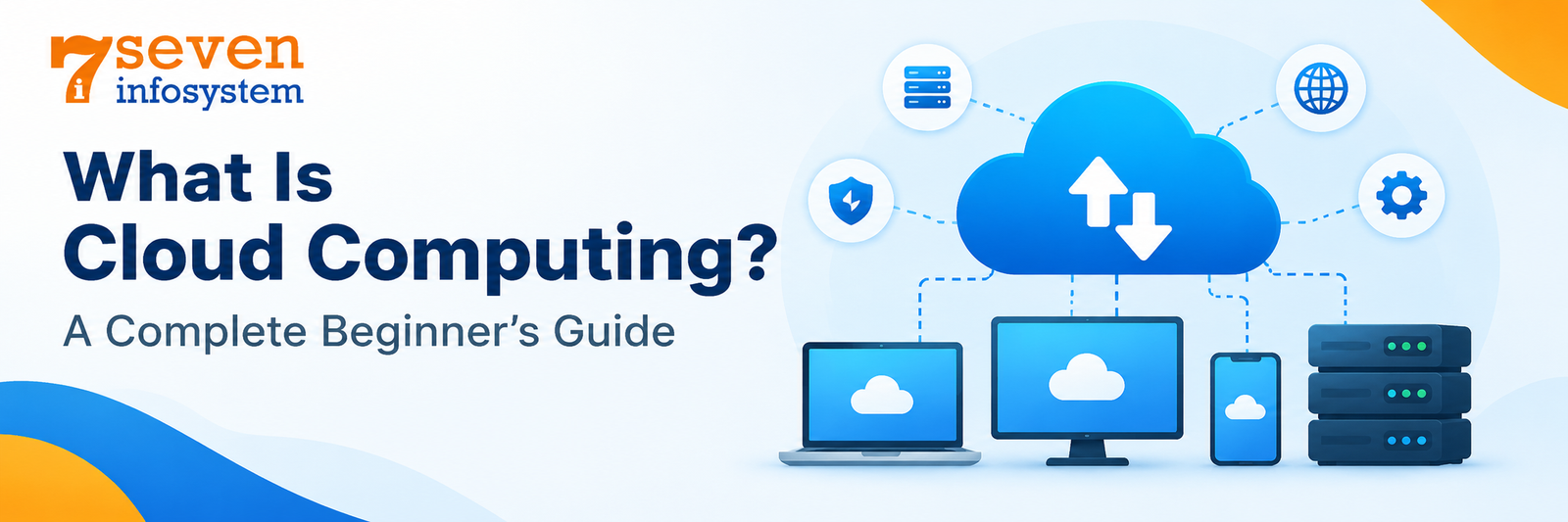
Cloud computing refers to the delivery of computing services that include servers, storage, databases, networking, software, and processing capabilities via the internet. Instead of buying and managing all these computing resources on your own, you can rent or subscribe to the cloud services and pay for the service accordingly.
Simply speaking, you don’t have to own or manage all the physical hardware to use computing services through cloud computing.
For instance, when you store a document in any online storage, you don’t have to carry any physical storage device with you to access the file stored online. In the same way, a company can use remote servers rather than investing in a dedicated server to host its website.
All these computing resources work from the data center which consists of physical servers, networking, storage, power supply, and cooling systems.
How Does Cloud Computing Work?
A practical scenario makes it easy for one to understand how cloud computing works.
For instance, there is a company that decides to come up with an online shopping website. In case, the company would be required to buy servers, set up networking devices, install software, and maintain them.
With cloud computing, the company will be able to rent computing resources from a provider and run its website on those resources.
The cloud computing process usually has these steps:
Resources allocation: The user chooses the necessary computing resources to be utilized, such as storage space, memory, processor speed, and operating systems.
Configuration: The resources are then configured using either a management console, command line interface, or application program interface.
Deployment: The web application or service is deployed within the chosen resources.
Access: The users have access to the web application via internet or private networks.
Monitoring and Scaling: Performance of the application is monitored by the business and resources are added depending on the demand.
Billing: The cloud provider charges for the resources utilized by using either a pay per use, reservation pricing, or subscription model.
Many cloud computing services make use of techniques such as virtualization and automation in order to manage resource allocation effectively. Others rely on containerization, serverless computing, and application platform management to reduce complexity involved.
It all depends on the particular service being used. It is easier to upload files to a cloud storage service compared to deploying an application over cloud servers.
What Are the Main Components of Cloud Computing?
A number of elements are required for efficient cloud computing.
Compute resources: These elements are used to process various applications, websites, databases, etc.
Storage: Cloud storage keeps files, backups, documents, images, videos, and application data on remote infrastructure.
Networking: Network services connect applications, servers, databases, and users. They also support traffic management and secure communication.
Virtualization: Virtualization is a technology that enables the creation of different virtual environments from physical computing resources.
Management and monitoring: The dashboards and monitoring tools are used to manage resources and monitor their performance and usage.
Security and access controls: Authentication, permissions, encryption and network controls help guard resources and information, for cloud computing.
Together these components give individuals and organizations an environment where they can access computing capabilities without building a full physical infrastructure themselves for cloud computing.
Cloud Computing Examples in Everyday Life
There’s a good chance that you interact with cloud computing far more often than you think.
Email providers: Web-based email services help users retrieve emails on different computing devices.
Streaming of videos: Video streaming services make use of cloud computing for delivering content.
Collaboration online: Users can work together and edit files and communicate with one another via cloud computing.
Websites for businesses: Remote computing infrastructures can be used by businesses to host their websites and apps.
Backup online: Users are able to keep copies of their essential files on remote computer infrastructures.
These examples show that cloud computing is not for big tech companies. Cloud computing supports digital tasks and also complex business systems.
Cloud Computing Technology: Types, Services, and Deployment Models
Cloud computing technology is one way of accessing resources, based on the financial means of the organization, the technological requirements, security and control levels needed.
Knowledge of the above would help the users to pick an appropriate service model rather than relying on just the popular ones.
Types of Cloud Computing Services
Cloud computing services are usually split into three categories: Infrastructure as a Service, Platform as a Service and Software, as a Service.
1. Infrastructure as a Service (IaaS)
Infrastructure as a Service provides fundamental computing resources, including virtual servers, storage, and networking.
People can set up operating systems, add programs and handle parts of their computer setup. The company that offers the service takes care of the hardware but the person using it is in charge of the parts they get.
For instance a team working on a project could rent machines to run a web app without having to buy real servers.
IaaS helps organizations that want both flexibility and control over their infrastructure.
2. Platform as a Service (PaaS)
The Platform as a Service allows developers to develop, test and run their applications in a certain environment. The service provider takes care of most of the underlying platform operations.
The developers can focus on writing the actual code instead of spending much time setting up operating systems and servers.
For example, a software developing company can use the managed application platform to deploy its application.
PaaS is very beneficial for the developers who aim at simplifying application deployment.
3. Software as a Service (SaaS)
The Software as a Service provides the user with pre-written applications which can be accessed via the web browser or application interface.
In general, the user does not have to manage the underlying server infrastructure at all.
Some examples may be online emails, customer relations management services, collaboration services and bookkeeping programs.
The difference between these two is in the management and control provided by the services: IaaS allows managing infrastructure, PaaS simplifies application development and SaaS provides end users with fully developed applications.
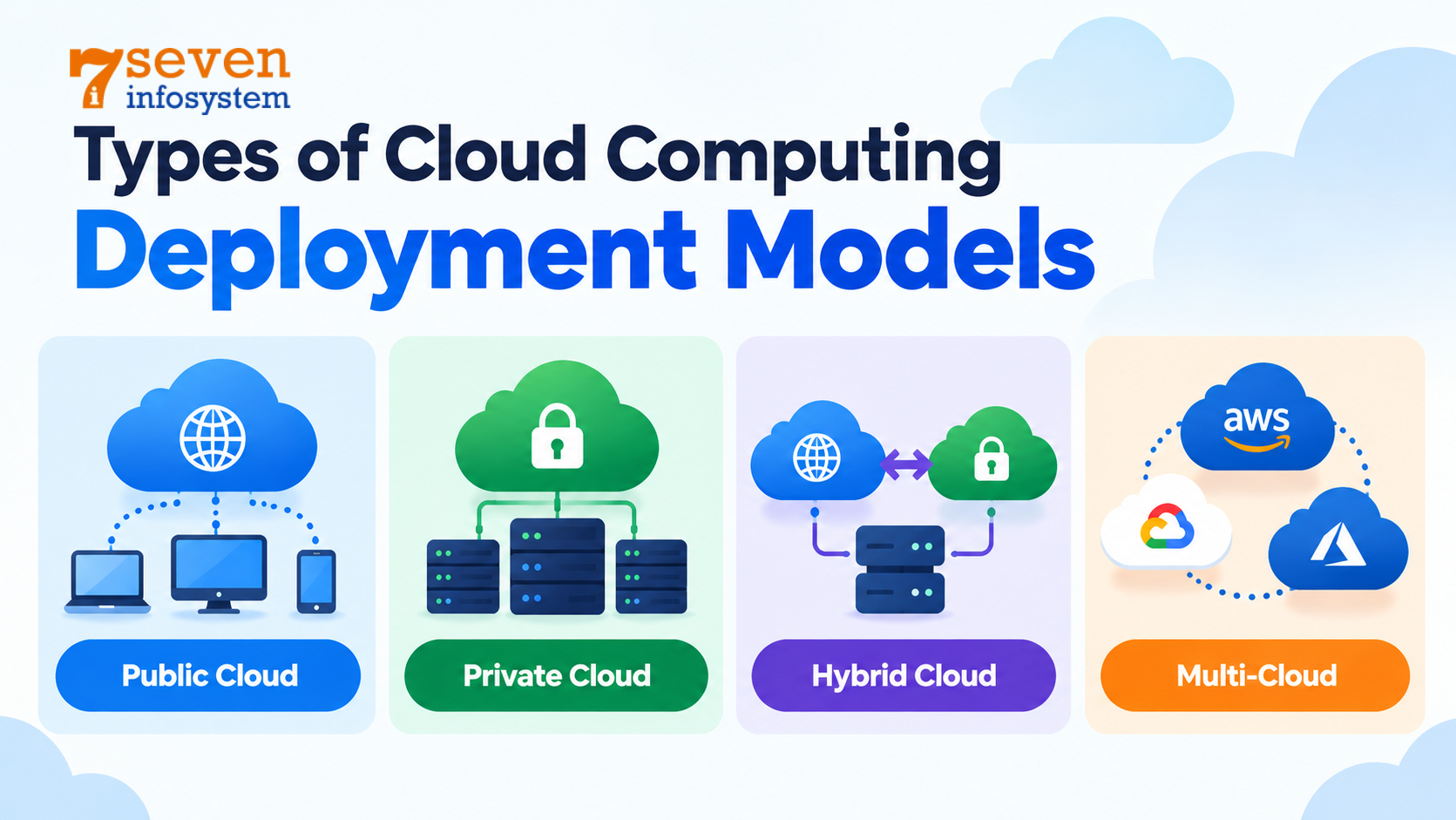
Types of Cloud Computing Deployment Models
Deployment models in the cloud are related to the ownership, management, and provisioning of the cloud infrastructure.
Public Cloud
A cloud supplies computing services via infrastructure run by a third‑party provider. Many customers use the providers infrastructure and logical isolation keeps each customers resources and data
Public cloud environments often attract startups and growing businesses because those businesses can access resources without investments in physical infrastructure.
Private Cloud
A private cloud environment is dedicated to a single organization. This environment may be hosted inside the organization’s facilities or operated by an external provider.
This model can provide customization and control over infrastructure. However that organization may face management responsibilities and costs depending on how the environment is operated.
Hybrid Cloud
A hybrid cloud combines private infrastructure with public cloud resources. Organizations can distribute workloads across these environments according to performance, security, operational, and business requirements.
For example, a company may retain certain sensitive systems in a private environment while using public cloud resources for customer-facing applications.
Multi-Cloud
A multi-cloud strategy uses services from two or more cloud providers. Businesses may choose different providers for particular capabilities, geographic coverage, resilience, or existing technology requirements.
However, managing multiple platforms can increase operational complexity, so a multi-cloud strategy should have a clear business purpose.
Benefits of Cloud Computing
Cloud computing offers more than lower costs, for buying physical servers. When set up correctly cloud computing can make operations smoother, allow changes and help a business adjust to new demands.
1. Lower upfront investment
With cloud computing businesses can use computing resources without buying all the hardware at. This cuts the round of spending but it’s costs that come later must still be watched closely.
2. Scalability
Lets an organization grow or shrink resources when work changes. For example an online store can add power during a big sale then reduce it afterwards.
3. Accessibility
Lets authorized users reach applications and data from places as long as the service and network are set up to allow it.
4. Faster deployment
Cloud platforms provide tools for provisioning infrastructure quickly. Development teams can create testing environments and deploy applications without waiting for physical hardware procurement.
5. Backup and recovery options
There are various providers who offer backup services, replication services, and even disaster recovery solutions. They may come in handy in case of specific problems.
6. Access to advanced technology
Managed databases, analytics software, artificial intelligence, and other tools are available through cloud infrastructure. This way, organizations can afford technologies that would be costly otherwise.
7. Improved collaboration
Applications run in the cloud allow colleagues to share their information and collaborate despite being in different locations.
Nevertheless, it cannot always be considered a less expensive, more secure, and reliable solution compared to alternatives. Results depend on numerous factors.
Cloud Computing Basics for Businesses: Choosing Providers and Planning Adoption
Once you understand the fundamentals, the next step is to evaluate how cloud services can support real business objectives.
A suitable solution depends on the organization's size, workload, security requirements, budget, and in-house technical expertise. Choosing a provider should therefore involve more than comparing advertised prices.
How to Choose Cloud Service Providers
Cloud service providers offer things like equipment, platforms, storage, databases, networks and other cloud-based tools. Some focus on industries or types of work while others have a wide range of services.
When looking at providers think about these things:
Reliability and availability: Look at service-level agreements how available the service is in regions, what options there are for redundancy and how well it can recover from problems.
Security features: Look at how identity's managed, what encryption options are available, how logging and monitoring work and what tools are there for configuring security.
Pricing transparency: Know about charges for computing resources, storage, data transfers, support, and other possible service charges.
Scalability: Check whether the platform can accommodate future traffic, storage, and processing requirements.
Technical support: Consider available support channels, documentation, response commitments, and the expertise needed to manage the platform.
Integration: Ensure the services can work with your existing applications, databases, development tools, and business systems.
A provider that works well for a small website may not be the right choice for a regulated enterprise application. Evaluate providers according to your actual use case.
Understanding Major Cloud Platforms
There are numerous well-known providers that provide various kinds of cloud services.
Amazon Web Services (AWS) gives such services as computing, storage, databases, networking, analytics, and a lot more. It cloud provider can be used for websites, business applications, data processing, and application development.
Microsoft Azure provides such services as cloud infrastructure, application services, databases, security options, and integration with Microsoft products. Cloud service might be especially relevant for companies that use Microsoft solutions.
Google Cloud provides such services as computing, storage, data analytics, artificial intelligence, networking, and application development. Cloud provider can be used for any workload.
There is no general winner in these cloud platforms. The best choice depends on technical, human, economic, and other factors.
What Is a Cloud Service Provider Company?
A cloud service provider company is an organization that supplies cloud‑based infrastructure, platforms, applications or other technical services to customers.
Some providers run worldwide cloud platforms. Others give hosting help moving apps, manage infrastructure advice on security or run cloud administration.
For instance, there may be a case where a company requires the services of an IT services company to migrate the application to the cloud, configure cloud security, manage infrastructure, or minimize the cloud expenses every month.
While assessing a service provider, it is recommended to check more than just the marketing of the company. It is necessary to check the technical experience, services offered, security measures, support services, and clarity regarding the cost.
Cloud Migration: Moving Systems to the Cloud
Cloud migration is the process of transferring applications development, databases, workloads, or digital information from an existing environment to a cloud platform.
For a successful migration, proper planning is required instead of moving the files or servers without planning.
The process typically includes:
Assessment: Identify existing systems, dependencies, performance requirements, and business priorities.
Strategy selection: Decide whether each workload should be moved with minimal changes, modified, replaced, retained, or retired.
Provider and architecture selection: Choose suitable services, regions, security controls, and network configurations.
Testing: Move workloads, confirm data, test how it works and measure performance.
Deployment: Shift users or traffic to the environment, on a planned schedule.
Optimization: Watch performance boost security, resize resources and review costs after migration.
Not every application should be migrated in the same way. Some systems can move quickly, while older applications may require redesign or extensive compatibility testing.
A phased migration, supported by backups and a rollback plan, can reduce the impact of unexpected problems.
Cloud Security and Compliance Best Practices
Cloud security is an equal responsibility between the provider and the consumer. The allocation varies depending on the type of cloud services offered and by the provider.
In essence, the provider usually protects the physical data center and the infrastructure used. Consumers are required to take care of some aspects such as user permissions, security of applications, data classification, and configuration of resources.
Businesses should adopt several foundational practices:
Use multi-factor authentication for important accounts.
Apply least-privilege access so users receive only the permissions they need.
Encrypt sensitive information in transit and, where appropriate, at rest.
Enable security logging and monitor suspicious activity.
Review regulatory requirements and data handling practices.
Regularly audit configurations and remove unused resources.
Security is an ongoing process rather than a one-time setup. Organizations should periodically test their controls and update them as applications and threats change.
Conclusion
Cloud computing has changed the way people and companies get computing resources. It lets businesses use servers, storage, databases, applications and other technologies without having to take care of all the parts under the surface.
Learning about the types of services, how to set them up, what they can do, what they can't do, who is responsible for security and how different providers are is important before using a cloud solution.
If you are new to it the best way is to start with a goal. Look at cloud services, learn about the costs, follow basic security steps and grow slowly as your needs change.
No matter if you are putting a website online, building an app, helping a team work from home or getting ready for a move to the cloud, the right cloud plan should match your technical needs and future plans.
Cloud computing is not about moving things to the internet. It is about using technology to build a better, easier to manage and stronger digital world.
FAQs
1. What is cloud computing in simple words?
Cloud computing means using computing resources such as storage, servers, and software over the internet instead of managing all the necessary hardware yourself.
2. What are the three main types of cloud computing services?
The three main service models are Infrastructure as a Service (IaaS), Platform as a Service (PaaS), and Software as a Service (SaaS).
3. Is cloud computing suitable for small businesses?
Yes. Small businesses can use cloud services to host websites, store files, run applications, and scale resources according to demand without making large upfront hardware investments.
4. Is cloud computing secure?
Cloud platforms provide many security features, but security also depends on correct configuration, access controls, encryption, monitoring, and the customer's responsibilities.
5. Which cloud service provider is best for beginners?
AWS, Microsoft Azure, and Google Cloud all offer beginner learning resources and cloud services. The best option depends on your learning goals, existing technology, budget, and preferred tools.